|
|
Spinnaker SDK C++ |
| 4.3.0.190 |

|
| |
|
Spinnaker SDK C++ |
| 4.3.0.190 |
|
|
This section is intended to describe GenTL producers and drivers outside of the full Spinnaker SDK installation that are still supported by the SDK.
Spinnaker supports loading select Teledyne Xtium2/3 GenTL producers. CXP and CLHS frame grabbers (NOTE: there is not yet support for GigE frame grabbers) that are currently supported by Spinnaker can be found here: https://www.teledynevisionsolutions.com/products/xtium2-family/
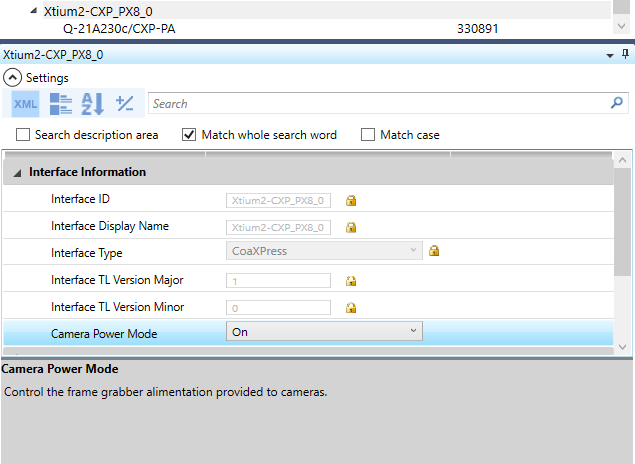
Spinnaker SDK provides support for CoaXPress (CXP) Interfaces.
for 64-bit systems:
    - GENICAM_GENTL64_PATH = C:\Program Files\Teledyne DALSA\Xtium2-CXP PX8\GenTL\cti\x64 (or the path to the CorXtium2CXPPX8GenTL.cti file)
    - GENICAM_GENTL64_PATH = C:\Program Files\Teledyne\Spinnaker\cti64\vs2015 (or the path to the Spinnaker_GenTL_v140.cti file)
    - SPINNAKER_GENTL64CTI_VS140 = C:\Program Files\Teledyne\Spinnaker\cti64\vs2015\Spinnaker_GenTL_v140.cti
for 32-bit systems:
    - GENICAM_GENTL32_PATH (GENICAM_GENTL32_PATH) = C:\Program Files\Teledyne DALSA\Xtium2-CXP PX8\GenTL\cti\Win32 (or the path to the CorXtium2CXPPX8GenTL.cti file)
    - GENICAM_GENTL32_PATH (GENICAM_GENTL32_PATH) = C:\Program Files\Teledyne\Spinnaker\cti\vs2015 (or the path to the Spinnaker_GenTL_v140.cti file)
    - SPINNAKER_GENTL32CTI_VS140 = C:\Program Files\Teledyne\Spinnaker\cti\vs2015\Spinnaker_GenTL_v140.cti (or the path to the Spinnaker_GenTL_v140.cti file)
    - Note: At this moment, Spinnaker has support for the Xtium2 CXP and CLHS producers.